03 / INDEPENDENT ENGINEERING DEMONSTRATORPublic without sign-in
Discovery & solution judgement
Presales WorkbenchTurn discovery into a decision you can explain.
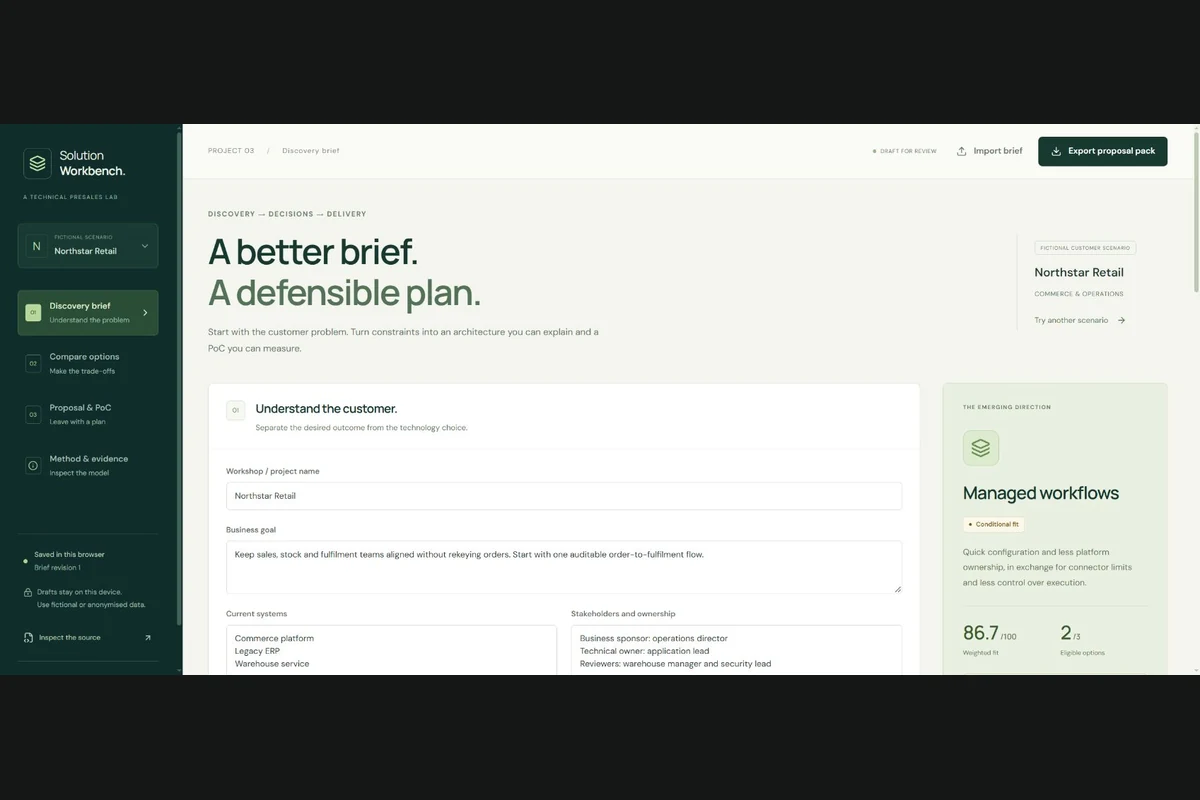
Explore a fictional customer brief, compare feasible architecture options and produce an editable proposal with explicit assumptions, costs and a PoC plan.
The public application with synthetic example data.
01 / FUNCTION & ABILITIES
Turn discovery into a decision you can explain.
01
Structure customer discovery
Capture business goals, current systems, stakeholders, integration scope, constraints and decision ownership.
02
Compare realistic trade-offs
Three provider-neutral blueprints pass hard feasibility gates before weighted capability scores are considered.
03
Explore cost assumptions
Edit illustrative rates, traffic, peak load, growth and headroom, then inspect reconciled cost line items.
04
Create a usable workshop pack
Edit a proposal, preserve authored wording when inputs change, define measurable PoC criteria and export a seven-file ZIP.
02 / PLANNED BOUNDARIES, VISIBLE FLOW
From the whiteboard to a working application.
Play a scenario, step through the decisions or select a component to inspect its responsibility. The diagrams follow the implemented design.
THE ARCHITECTURE BOARD03 / Presales Workbench
Illustrated flow
Step 1 / 5 · click any component
FOLLOW THE FLOW
Translate the customer brief
Business goals and operating constraints become structured decision inputs.
Read all 5 steps without animation
Trace a customer brief into an inspectable proposed decision.
Every decision and draft lives in the visitor's browser. The public Worker serves the application and documents, not a remote scoring or AI service. Arrows and moving dots are an explanation of the implementation, not live telemetry.
Read the fictional business goal, stakeholders, three current systems and operating constraints in Discovery.
02
Compare the baseline
Open Compare options. Inspect hard constraints, weighted contributions and cost lines for the managed-workflow baseline.
03
Introduce a new constraint
Return to Discovery and select Introduce this constraint. The new five-second delivery requirement blocks the 60-second baseline and changes the proposed direction.
04
Review the proposal
Open Proposal & PoC and edit a section. Change a structured input and inspect the review flag while your wording is preserved.
05
Export and continue
Download the proposal pack, extract brief.json and re-import it to continue the workshop. Try the other fictional scenarios to explore different boundaries.
04 / ENGINEERING JUDGEMENT
Why it works this way.
Feasibility before scoring
An attractive score cannot override a hard boundary, ownership, region, delivery-time or budget constraint.
Keep assumptions editable
Rates, latency baselines, capability ratings and delivery allowances remain visible workshop assumptions. Currency is a label, not an exchange-rate conversion.
Preserve authored judgement
A changed brief flags proposal text for review rather than silently replacing the user's wording with a regenerated draft.
05 / INSPECT THE EVIDENCE
Tested behaviour. Explicit limits.
48 unit tests and 12 scenario/export checks are published, covering six baseline/changed-constraint decisions.
Recorded checks independently reconcile cost totals, budget boundaries, ZIP extraction and JSON round trips.
Windows/Linux CI, public browser checks and hosting validation are recorded in the repository.